
Free Online Image Compressor
Maximum compression, zero visible quality loss. Optimize up to 10 images instantly.
Need a specific size?
UpaiPic Compressor Features: Bulk Optimization Without Quality Loss
Dealing with heavy image files shouldn't be a bottleneck for your workflow. Whether you are prepping high-res photos for an online portfolio, attempting to bypass strict email attachment limits, or trying to improve your website's load speed, our smart bulk compressor is the ultimate local tool.
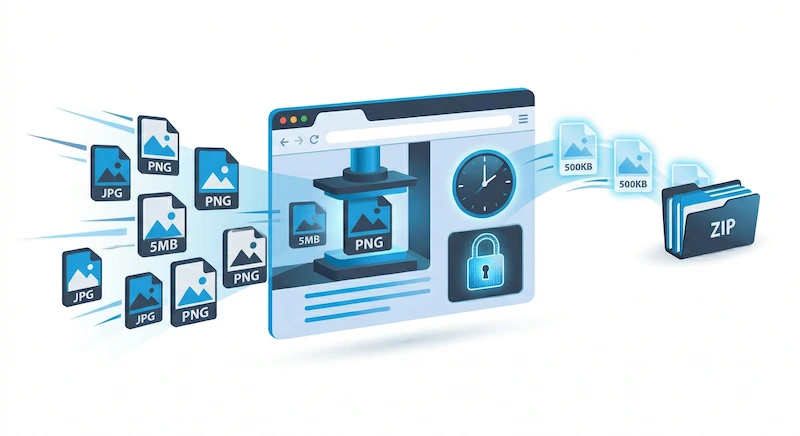
UpaiPic allows you to batch compress up to 10 images at once. Simply select your JPEG, PNG, or WebP files, and our engine automatically calculates the golden ratio between file size reduction and visual fidelity. When processing multiple files, your optimized assets are instantly bundled into a single ZIP file for seamless downloading.
How Does Our Image Compressor Work?
Most basic compressors blindly lower the 'quality' setting of a JPEG, leading to ugly artifacts and blurry edges. We use a more sophisticated approach. For standard photos, we apply advanced metadata stripping and optimal quantization.
But our real secret weapon is activated when you upload heavy, lossless PNG files. Instead of struggling to compress them natively, our system performs an invisible, hardware-accelerated conversion to WebP in the background. This native browser processing guarantees that a massive 5MB PNG can be shrunk to under 500KB in milliseconds, while perfectly preserving physical dimensions and transparent backgrounds.
Why Image Compression is Critical for Core Web Vitals
If you are a site owner, unoptimized images are the number one cause of poor SEO performance. Google's Core Web Vitals heavily penalize pages with a slow Largest Contentful Paint (LCP). By integrating UpaiPic's batch compressor into your publishing pipeline, you guarantee that every visual asset served to your users is as lightweight as technically possible, directly contributing to higher search engine rankings and lower bounce rates.
If you have a specific file-size target — for example, a passport or visa form that requires images under 100KB, or a blog where you want to keep every photo under 200KB for PageSpeed — try our targeted compressors instead. They run a binary-search quality algorithm so the output lands precisely under your size cap with no manual fiddling.
Frequently Asked Questions
Can I compress multiple images at once?
Yes, you can upload up to 10 images at a time. Our tool will batch compress them instantly using your device's power, and provide a single ZIP file containing all your optimized images.
Will my images lose visual quality?
No. Our tool targets the "golden spot" of optimization—stripping unnecessary data and employing modern encoding techniques (like WebP) so the file size drops by up to 90% without any noticeable degradation to the human eye.
Are my files secure during compression?
Absolutely. Because the entire compression process relies on HTML5 Canvas and native browser engines, your private photos never leave your device. We have zero server-side uploads.
Can I compress an iPhone HEIC photo?
Not directly — browsers (other than Safari) cannot decode HEIC natively. First convert it to JPG using our HEIC to JPG tool (runs locally via WebAssembly libheif), then bring the resulting JPG back here for compression.