
Free Online Image Converter
Convert up to 10 images to WebP, JPG, or PNG instantly. Fast, free, and completely private.
Special format?
UpaiPic Converter Features: Fast, Secure, and Batch-Ready
UpaiPic redefines how you convert images online. Unlike traditional converters that force you to upload files to a remote server, our tool leverages native browser technology to process everything directly within your device. This means zero upload time, instant conversions, and absolute privacy for your sensitive files.
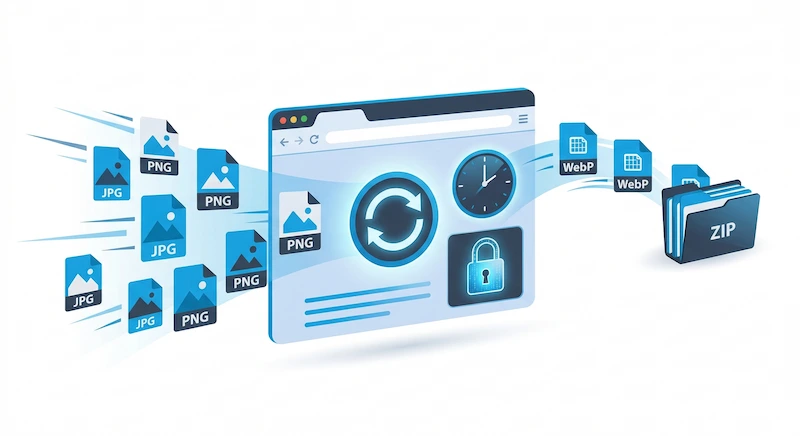
Whether you are a web developer optimizing assets or a designer formatting client galleries, productivity is key. Our platform allows you to batch convert up to 10 images simultaneously. Simply drag and drop your JPG, PNG, or WebP files, select your target format, and download them neatly packaged in a ZIP archive in seconds.
Understanding Image Formats: WebP vs. JPEG vs. PNG
Choosing the right image format is crucial for balancing visual quality and file size. While legacy formats like JPG and PNG have been the standard for decades, modern formats like WebP offer significant advantages for digital publishing.
| Format | Best Used For | Transparency | Compression Style |
|---|---|---|---|
| WebP | Websites, Blogs, E-commerce platforms seeking ultra-fast load times. | Yes (Alpha Channel) | Lossy & Lossless (Saves ~30% more space than JPEG/PNG) |
| JPEG / JPG | High-resolution photographs, complex color gradients. | No | Lossy (Reduces file size by permanently discarding data) |
| PNG | Logos, icons, graphics with sharp edges, images requiring clear backgrounds. | Yes (Alpha Channel) | Lossless (Retains all original image data, larger file size) |
How to Convert Images Without Losing Quality
One of the biggest concerns when changing file formats is the potential degradation of image quality. Many online converters compress your files heavily on their servers to save bandwidth, resulting in blurry or pixelated outputs.
UpaiPic solves this by utilizing native browser encoding. When you upload a file, our tool reads the raw pixel data directly on your device. It then rewrites that exact data into your chosen target format (like WebP or PNG) at the highest quality settings allowed by the browser engine. By eliminating the server-side middleman, you guarantee a 1:1 pixel translation that preserves the crispness and fidelity of your original photos.
Boost Core Web Vitals with Next-Gen Formats
If you manage a website, you have likely seen Google PageSpeed Insights recommend that you "serve images in next-gen formats." This directly impacts your Largest Contentful Paint (LCP) score, a critical ranking factor for modern SEO.
Using our bulk converter, developers and content creators can easily drag and drop up to 10 legacy JPG or PNG assets and instantly batch-convert them into highly optimized WebP files. These smaller files require significantly less network bandwidth, ensuring your web pages render instantly on mobile devices and helping you achieve higher rankings in search engine results.
Coming from an iPhone? Apple's default HEIC format isn't supported by Chrome, Firefox, Edge, or most CMS platforms — so before you can convert to WebP here, run the file through our dedicated HEIC to JPG converter first. It uses a WebAssembly build of libheif to decode HEIC entirely in your browser, then you can bring the JPG back to this page to push it the rest of the way to WebP.
Frequently Asked Questions
Which format should I choose for my website?
For the best website speed, we strongly recommend converting to WebP. It makes your images significantly smaller than traditional JPG or PNG files without sacrificing visible quality, helping your pages load faster and improving user experience.
Are my photos safe when converting online?
Yes. UpaiPic processes all image conversions directly within your web browser. Your photos are never sent to our servers, keeping your private data 100% secure.
Can I convert multiple files at once?
Absolutely. You can select and upload up to 10 images simultaneously. Once converted, our tool will automatically package them into a convenient ZIP file for you to download with a single click.
Why can't I drop my iPhone HEIC photos here directly?
HEIC (and HEIF) is a container format that uses HEVC compression — only Safari can decode it natively. Chrome, Firefox, and Edge all need a WebAssembly decoder. We keep this converter lean by handling HEIC on a separate page: use HEIC to JPG first to get a universal JPG, then you can convert that JPG to WebP, PNG, or any other format here.